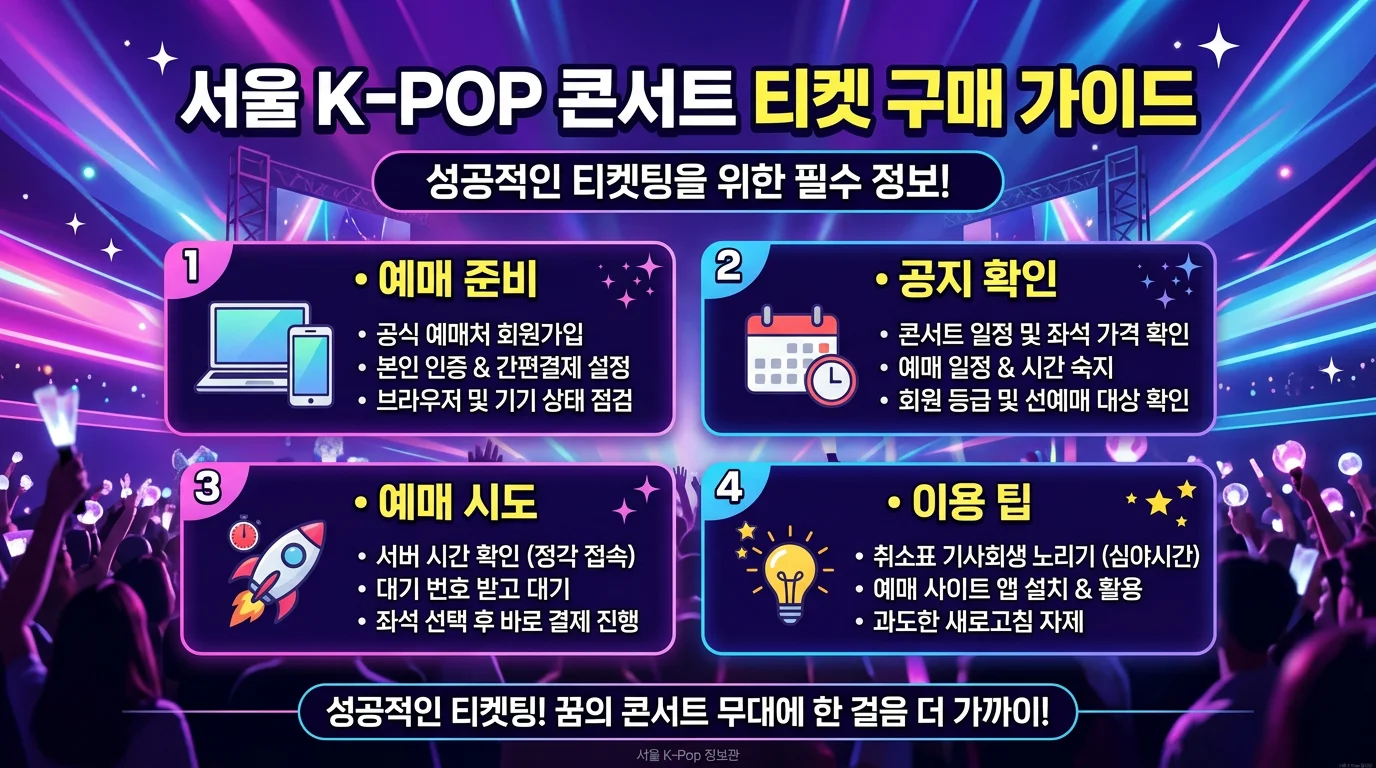
🎫 How Do Overseas Fans Actually Buy Seoul K-pop Concert Tickets?
STEP 1. Check the show & platform first (most important!)
First, check which site sells your artist's show. Each agency tends to use certain platforms, but the seller can change per concert, so always check the official notice.
Platforms agencies often use (for reference):
HYBE → often Weverse + NOL World
SM → YES24, Weverse Ticket, Melon Ticket, etc.
JYP → Melon Ticket, YES24, NOL World, etc.
YG → NOL World is used frequently
Global sites foreigners mainly use: NOL World (formerly Interpark Global, world.nol.com), Weverse, YES24 Global (ticket.yes24.com), Melon Ticket Global (tkglobal.melon.com)
STEP 2. Make an account + verify ID early
Global sites usually allow email sign-up (Gmail recommended; many work without a Korean phone number).
Enter your passport's English name exactly — your ticket, membership, and passport names must match.
Popular shows may require passport-based identity verification, so complete it 1–2 days before ticket opening.
STEP 3. Prepare payment
Foreign-issued Visa, Mastercard, and Amex often work.
Some ticket sites may require 3D Secure (overseas online payment) verification, so activate your card's settings before you travel.
In case one is blocked, it's good to register two or more different cards.
STEP 4. (If available) Apply for fan-club presale
A large share of good seats is released in the presale. You usually buy an official membership (Weverse Shop / agency shop, about ₩30,000–50,000/year), then connect that membership to your ticket account during a "linking" window that opens only 24–48 hours before the presale. Miss that window and you can't join the presale even with a membership.
STEP 5. Sale day — the open run
Sync to the second with Navyism server time.
Some ticket sites use pop-ups, so turn off your pop-up blocker.
Multiple browsers or multiple logins can cause errors or access limits, so it's safer to work in a single window.
Right after opening: date/session → seat grade → seat → payment, quickly! If the queue is busy, a white/loading screen may appear temporarily — don't refresh hastily.
STEP 6. Payment & ticket pickup
After payment, a mobile ticket (QR code) is standard (the QR appears live in the app).
Whether physical tickets can be shipped varies by show, and overseas shipping is often restricted. On-site pickup is usually free but requires arriving early.
STEP 7. Didn't get one? — Cancellation tickets (chwiketting)
When schedule changes cause cancellations, seats reopen. Around the cancellation deadline, tickets sometimes reopen, so check repeatedly. People do land tickets even after a sellout.
STEP 8. Concert day
You need your original passport (no copies), reservation number, the live in-app QR, and a charged phone.
Mobile tickets and QR entry are now standard, and some shows run an additional identity check. Screenshots/printouts are often not accepted, so be careful.
Your ticket, membership, and passport English names must match.
Entry and merch lines are long, so arrive 1–2 hours early, and buy an official lightstick in advance!
✅ Quick checklist
Check the show's designated platform & sale time
Account + passport English name + ID verification (1–2 days ahead)
Two cards + 3D Secure checked
Fan-club membership "linked" (for presale)
Navyism time + pop-up blocker off + single window
On the day: passport, QR, charged phone, arrive early
🕐 Mind the time difference! All Korean show times are announced in KST (Korea Standard Time). If buying from abroad, always check the time difference with your region. (It's one of the most common mistakes overseas fans make!)
⚠️ Resale warning: Korea is tightening its crackdown on scalping. Unofficial resale tickets can be denied entry due to name mismatch, so use only official sales and official transfer channels.