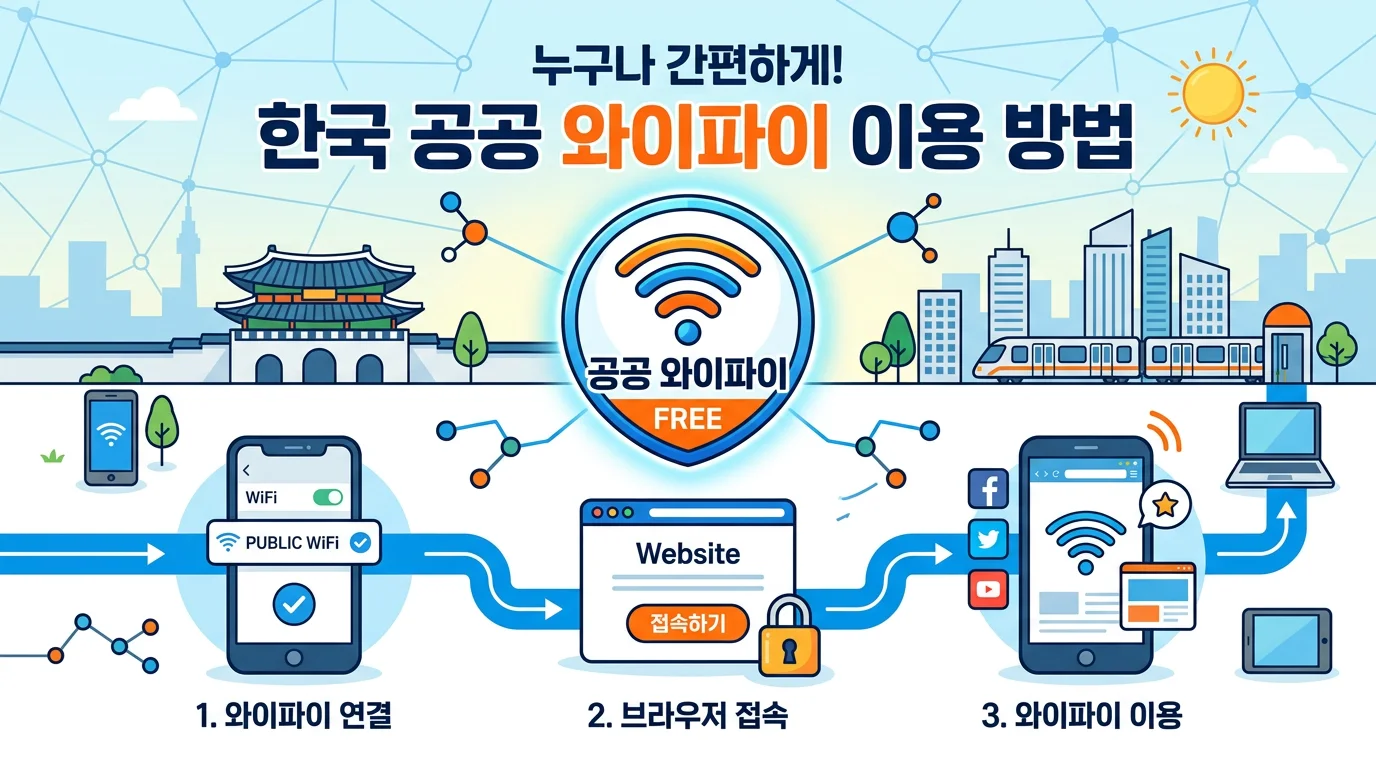
📶 How to Use Public Wi-Fi in Korea
⏱️ 30-Second Summary — Just Remember This!
🟦 Government Wi-Fi → Public WiFi Free (regular) / Public WiFi Secure (secure)
🟩 Seoul Wi-Fi (Kkachi On) → SEOUL (regular) / SEOUL_Secure (secure)
🔐 Secure access → encrypts the wireless segment; set up once, connects automatically
🚌 Buses → free Wi-Fi on many city and village (maeul) buses
⚠️ Security caution → for banking/payments, use mobile data when you can!
1. 📡 What Kinds of Public Wi-Fi Are There in Korea?
Korea has several types of free public Wi-Fi. You tell them apart by the name (SSID).
Government public Wi-Fi: Offered nationwide at community centers, traditional markets, parks, on buses, and more. The names are
Public WiFi Free(regular) andPublic WiFi Secure(secure). It runs with the cooperation of the three carriers (KT, SKT, LG U+).Seoul's public Wi-Fi "Kkachi On": The brand name of Seoul's free public Wi-Fi is "Kkachi On" (from kkachi, the magpie — a good-omen bird symbolizing Seoul — plus "ON," as in Wi-Fi turning on). The network names are unified as
SEOUL(regular) andSEOUL_Secure(secure). You'll find it on major streets, in parks and markets, at bus stops, on city buses, and so on.Local-government Wi-Fi: Each region has its own, like Gyeonggi
Gyeonggi_Free_WiFi, SuwonSuwon_WiFi, and GoyangGoyang_WiFi.Private (café/shop) Wi-Fi: Cafés, convenience stores, and malls offer their own Wi-Fi. (Ask staff for the password, or check the receipt or in-store notice.)
💡
Free/SEOULare simple but require connecting each time;Secure/SEOUL_Secureare encrypted and auto-connect after a one-time setup.
2. 📋 Public Wi-Fi Access Info at a Glance
Network names and access info by type. (In list form for easy reference.)
Government regular — SSID:
Public WiFi Free→ click "Use" on the access pageGovernment secure — SSID:
Public WiFi Secure→ ID:wifi/ Password:wifiSeoul regular — SSID:
SEOUL→ click "regular access" on the access pageSeoul secure — SSID:
SEOUL_Secure→ ID:seoul/ Password:seoulSeoul enhanced secure — SSID:
SEOUL_Secure_(3)→ ID:seoul/ Password:seoul(WPA3-Enterprise based)
※ This is based on official guidance and may vary by area and over time.
3. 🔓 Using Regular Access (Free)
The simplest method — good for connecting quickly.
Steps:
① Turn on Wi-Fi on your phone → scan for nearby networks
② Select
Public WiFi FreeorSEOUL③ On the page that opens automatically, click the "Use" (regular access) button
Traits: Just one click to use. But you must press the connect button each time you move to a new spot.
Caution: The data is not encrypted. Use it only for basic web browsing, maps, and video, and avoid entering personal info.
4. 🔐 Using Secure Access — Recommended!
A bit more of a hassle, but set it up once and it auto-connects — and it's safer.
Government
Public WiFi Secure: Select the secure SSID from the Wi-Fi list and enterwififor both ID and password. The wireless segment between your device and the AP is encrypted. (Only where Secure is shown.)Seoul
SEOUL_Secure(Kkachi On):① Select
SEOUL_Securefrom the Wi-Fi list② Enter ID:
seoul, Password:seoul③ Set the CA certificate to "Don't validate / Do not use / None," etc. (the menu name differs by device)
④ Set it once, and it auto-connects anywhere in Seoul that has Kkachi On
※ The enhanced
SEOUL_Secure_(3)(WPA3-Enterprise) uses the same ID/PW (seoul)
Pros: Wireless-segment encryption makes interception harder. Auto-connect is convenient.
Note: Encryption may make it very slightly slower.
5. 🚌 Bus & 🚇 Subway Wi-Fi
You can use free Wi-Fi on the move, too.
City buses: Many city and village (maeul) buses (in Seoul and other major cities) offer free Wi-Fi. For stability, bus Wi-Fi runs as
Public WiFi Free_(route number)orPublic WiFi@Bus_Secure_(route number).Subway: In stations, free Wi-Fi is sometimes available, while in-car Wi-Fi varies by carrier and line. With foreign prepaid SIMs or eSIMs, access to carrier Wi-Fi may be restricted. (There can also be dropouts while moving.)
Tip: On a bus, use
SecureWi-Fi if you need banking/login, andFreefor simple browsing/video.
6. ⚠️ Security Cautions (Please Read!)
Public Wi-Fi is convenient but can be weak on security. Here's how to use it safely.
Banking, payments, important logins: Use mobile data when possible. If you must use Wi-Fi, check for Secure Wi-Fi and HTTPS (the padlock).
Secure isn't perfect either: Secure access only encrypts the wireless segment between your device and the Wi-Fi equipment. It does not block phishing sites or malicious apps.
Beware fake Wi-Fi: Avoid suspicious SSIDs that mimic official names (unknown "free Wi-Fi").
Manage auto-connect: Once connected, it may be saved and auto-connect. If you don't want that, clean up "saved networks" in settings.
Check HTTPS: Confirming the address starts with
https://(padlock) adds a bit more safety.
7. 🌐 Data Alternatives for Foreigners
Wi-Fi alone can be inconvenient on the move. Travelers should also prepare data.
eSIM: If your phone supports it, you can activate it right before departure or on arrival — very handy.
USIM: Buy a prepaid SIM at the airport, convenience stores, or online. (A passport may be required.)
Pocket Wi-Fi: Useful when several people share it. Rent and return at the airport.
Tip: Maps, translation, and reservations often need data, so public Wi-Fi + data together is the most convenient.
8. 📍 Where Does It Work Well?
Works well: Major streets, traditional markets, parks/streams, bus stops, attractions, cultural/welfare facilities, city buses.
May be weak: Deep indoors, underground, while moving fast, in very crowded places.
Cafés/convenience stores: Their own Wi-Fi tends to be faster, so for longer stays a café's Wi-Fi is handy.
9. Common Questions from Foreigners ❓
Is public Wi-Fi really free? → Yes, government and Seoul public Wi-Fi are free.
Do I need a Korean phone number? → Regular access usually works without one. (Some private Wi-Fi may require verification.)
Which should I choose? → For longer, safer use, Secure; for a quick connection, Free is easier.
Can I do banking? → Use mobile data if you can. If unavoidable, check Secure + HTTPS.
Does it work on buses? → Many city and village buses offer free Wi-Fi. (Dropouts possible while moving.)
How's the speed? → It depends on location and crowding. Areas with newer gear (Wi-Fi 6), like Kkachi On, tend to be fast.
✅ Quick Checklist
Check the official SSID in your Wi-Fi list (Public WiFi / SEOUL, etc.)
For longer use, set up Secure access
Government secure:
Public WiFi Secure+ ID/PWwifiSeoul Kkachi On:
SEOUL_Secure+ ID/PWseoulFor banking/payments/logins, use mobile data when possible
Avoid suspicious fake SSIDs + check the
https://padlockAlso prepare travel data (eSIM/USIM/pocket Wi-Fi)
🟦 A guide put together by the CultureHub team.
📅 As of 2026 · ⚠️ SSID names, access info (ID/PW), and coverage areas vary by local government and policy and may change. Check on-site notices or official sites.